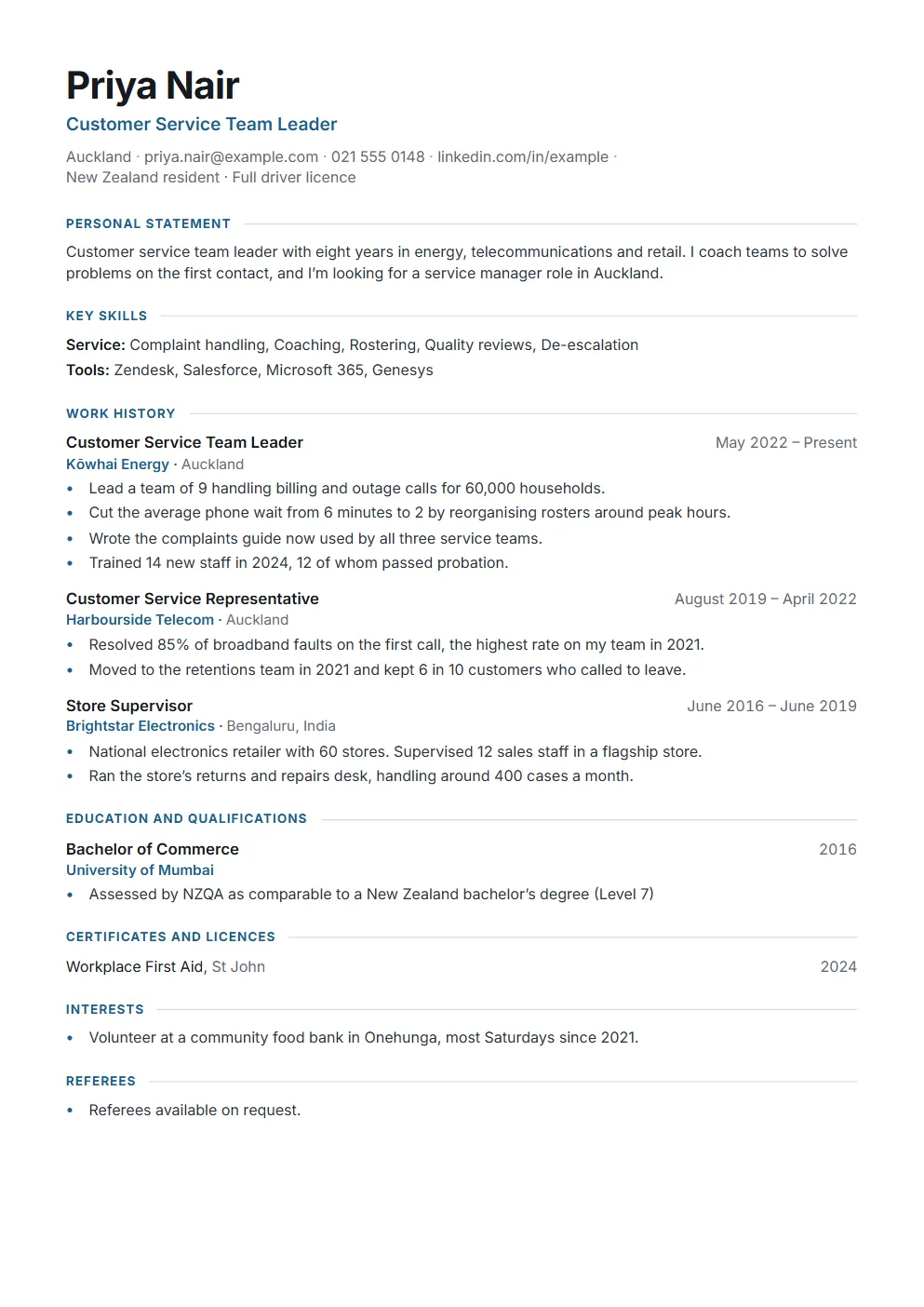
Free CV template for New Zealand
A plain, two-page A4 CV in the layout New Zealand employers expect. Download the Word template, replace the prompts in square brackets, and save it as a PDF. No sign-up.
- Word and PDF
- A4
- No sign-up, no watermark
What’s in it, in order
- Name, contact details and your work rights, on the lines under your name
- Personal statement: two or three sentences, rewritten for each job
- Key skills
- Work history, most recent first
- Education and qualifications, with NZQA assessments for overseas ones
- Certificates and licences, interests, and referees
The blank template
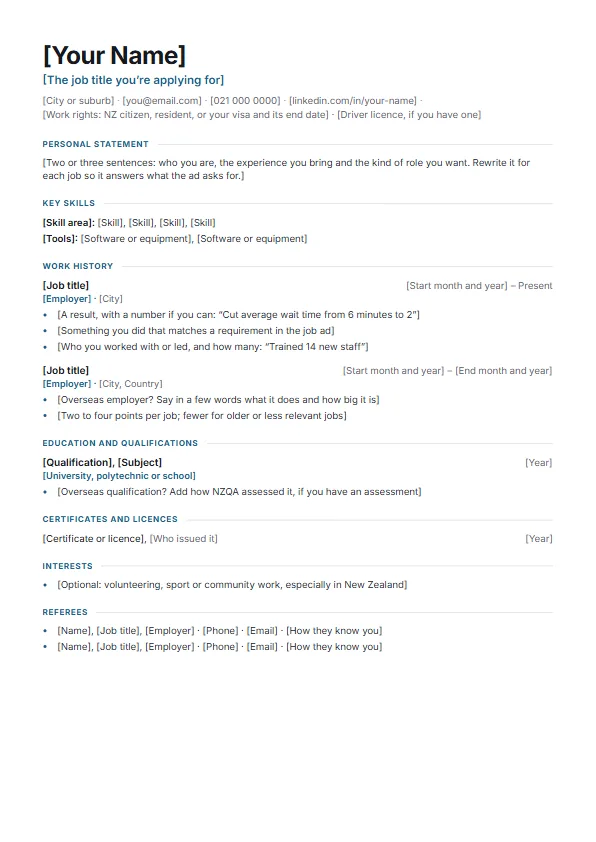 Template (Word)
Also available: the example as a Word file.
Filling it in
What New Zealand employers look for
The full rules and sources are in our NZ CV format guide.
Put your work rights under your name. Employers must check that you can work in New Zealand. Say you’re a citizen or resident, or name your visa and when it ends (“Open work visa, valid to 2028”). It matters most if you’re new to the country.
Show results, not only duties. One line per result, with a number where you have one: how many people, how much time or money, how often.
Explain overseas experience. Say in a few words what an overseas employer does and how big it is, and add how NZQA assessed an overseas qualification if you have an assessment. Local volunteer or contract work is worth listing: it shows New Zealand experience.
Leave out your photo, date of birth, marital status and full street address.
Referees. Give two, ideally one a current or former manager, if the ad asks for them. Otherwise write “Referees available on request”. Ask them first.
Keep it to two pages, use local spelling (“organise”, “programme”), and send it as a PDF unless the employer asks for Word.
Or build it online
One CV, tailored to every job ad
In CandidThread you enter your experience once and pick from 8 free templates on A4, with PDF and Word downloads. For each job ad, it shows which requirements your CV proves and helps you reword it, using only what you’ve really done.
Before you apply, check your CV against the job ad. It’s free and needs no account.
Questions
About the NZ CV template
Is the template really free?
Yes. Download it directly, with no account, no email and no watermark, and use it for as many applications as you like.
Should I send my CV as Word or PDF?
A PDF, unless the employer asks for Word. When you’ve filled in the template, save it as a PDF from Word (File, then Save As, then PDF) and send that.
How long should a CV be in New Zealand?
Two pages if you can. The government’s careers service gives the same advice. Cut older or less relevant jobs to a line or two before you cut recent results.
Do I need a photo or my date of birth?
No. New Zealand CVs leave out the photo, date of birth, marital status, religion and ethnicity, and a full street address: your city or suburb is enough.
Can I use it in Google Docs?
Yes. Upload the Word file to Google Drive and open it with Google Docs. The layout carries over; download it as a PDF when you’re done.
CV or resume: which do New Zealand employers want?
They’re the same thing here. “CV” is the more common word in New Zealand, and job ads use both.